Admin Panel
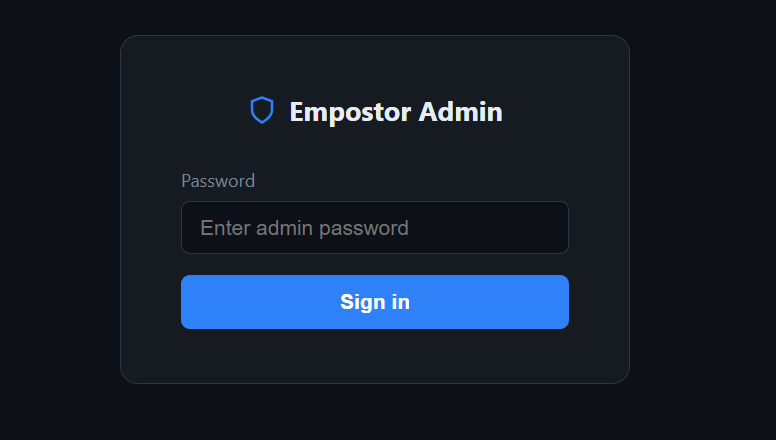
Empostor includes a built-in web-based admin panel available at http://your-server:22023/admin.
Authentication
The panel is protected by a password set in config.json:
"Admin": {
  "Password": "your-strong-password-here",
  "MarketplaceUrl": "https://raw.githubusercontent.com/your-org/your-repo/main/marketplace/plugins.json"
}
The password is hashed (SHA256) in memory and in cookies — the plaintext is never stored in the browser or compared directly. On first visit the login page is shown. After a successful login a session cookie (HttpOnly, Secure, SameSite=Strict) valid for 8 hours is set. Clicking Sign out clears it immediately.
After 5 failed login attempts from the same IP, that IP is locked out for 15 minutes.
All API endpoints under /api/admin/ return 401 Unauthorized if the cookie is absent or incorrect.
Overview
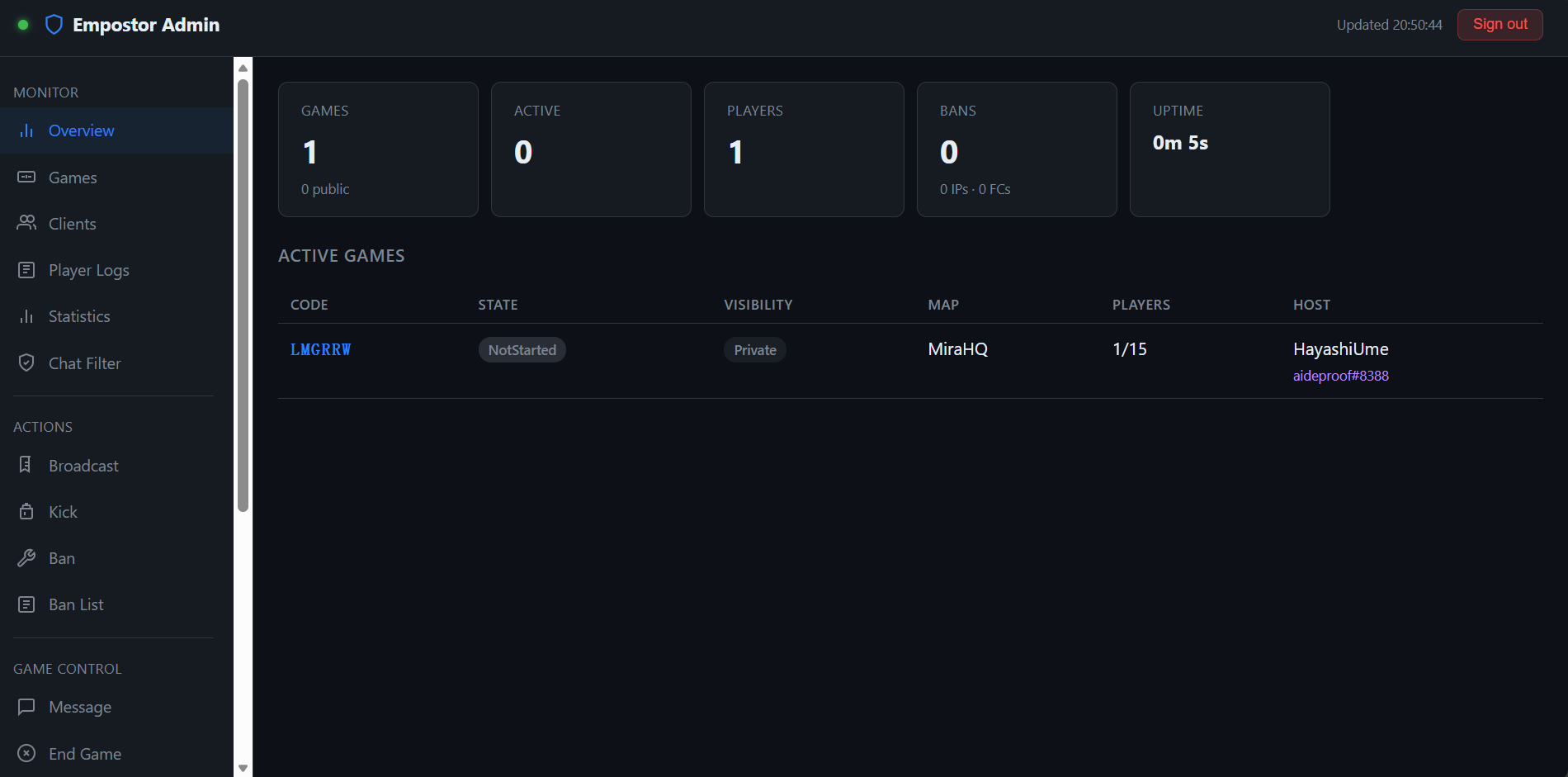
The main dashboard shows at a glance:
- Total and public game count
- Active games (in progress)
- Connected player count
- Total ban count (IP + friend code)
- Server uptime
A live game list is displayed below the stat cards, refreshing every 3 seconds.
Games
Lists all active rooms with:
- Room code
- State (NotStarted / Starting / Started / Ended)
- Visibility (Public / Private)
- Map name
- Player count vs. max players
- Host name and friend code
- All players in the room (hover for friend code and IP)
Clients
Lists all connected clients with:
- Client ID
- Name (clickable — opens detail modal)
- Friend code
- IP address (with geolocation in detail view)
- Among Us client version
- Platform + platform name
- Whether they are in a game, and which room code
- Reactor mod count badge (if the client runs Reactor/Reactor)
Clicking a player name opens a modal overlay showing:
- Full player identity (name, friend code, client ID)
- IP address with geolocation (country region city)
- Game version
- Platform (enum + platform name)
- Language (with numeric code)
- Player level (if available)
- Current game code
- Reactor protocol version and full mod list (mod ID, version, required flag)
Player Logs
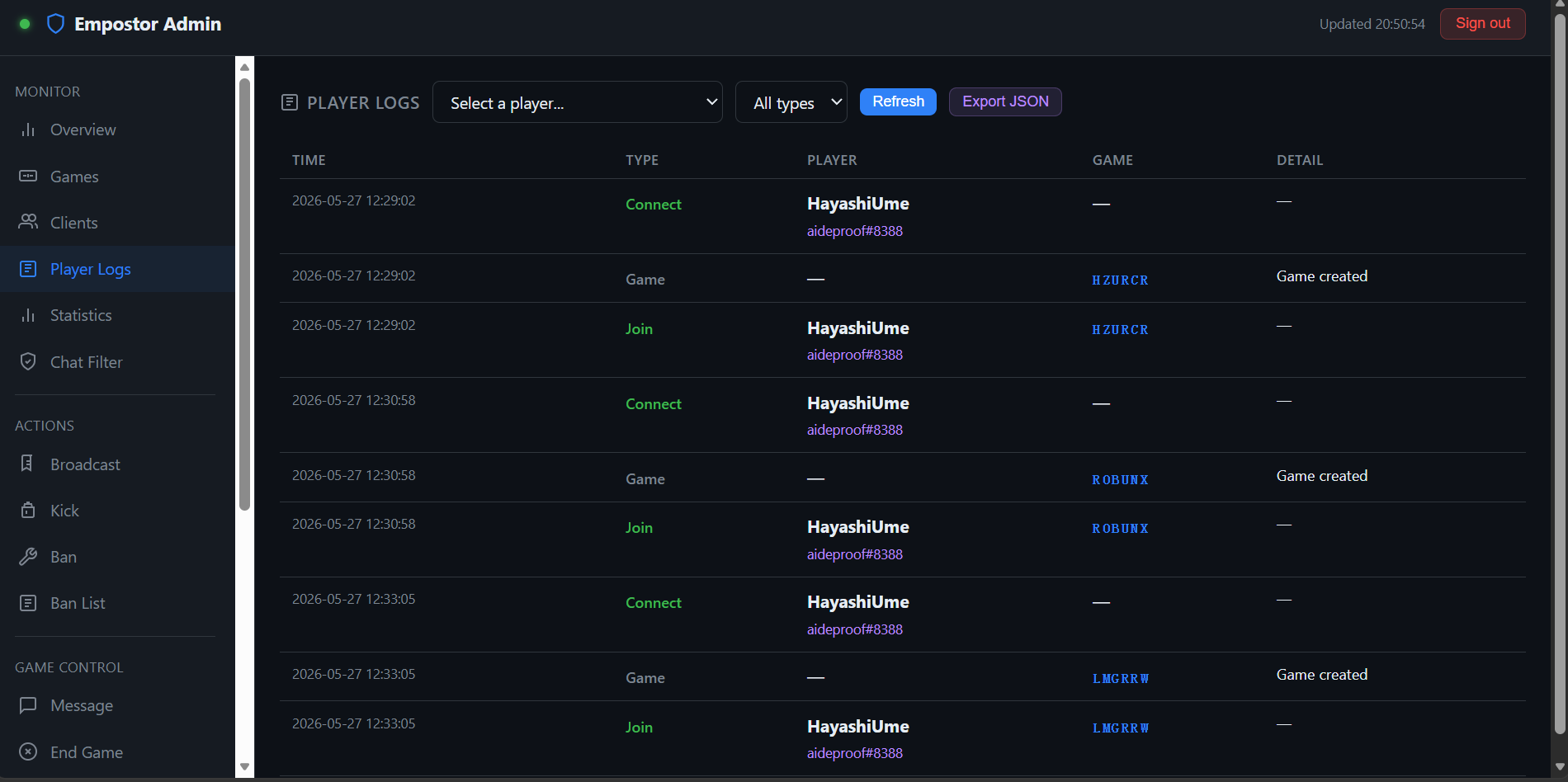
Browse per-player activity logs. Filter by player and event type, and export data as JSON. Useful for auditing player behavior and investigating reports.
Statistics
When enabled in config.json, a Statistics tab appears in the admin panel showing per-player game data ranked by games played. Use Refresh to reload and Reset All to clear all stats (requires confirmation).
Players can also check their own stats in-game with /stat (or /stats, /mystats). The response is sent privately and localized to the player's language.
Configuration
{
  "PlayerStats": {
    "Enabled": false,
    "PersistToFile": true
  }
}| Key | Default | Description |
|---|---|---|
| Enabled | false | Whether player statistics tracking is enabled. |
| PersistToFile | true | Save statistics to player_stats.json on disk. If false, stats are memory-only and lost on restart. |
Tracked Metrics
| Stat | Description |
|---|---|
| Games Played | Total games participated in |
| Wins | Games won as crewmate |
| Losses | Games lost as crewmate |
| Impostor Wins | Games won as impostor |
| Kills | Total kills performed |
| Deaths | Total times killed |
| Tasks Completed | Total tasks completed |
| Times Exiled | Total times voted out |
API Endpoints
| Method | Path | Description |
|---|---|---|
GET | /api/admin/player/stats | Returns all player stats sorted by games played |
GET | /api/admin/player/stats/{friendCode} | Returns stats for a single player |
POST | /api/admin/player/stats/reset | Clears all player statistics (requires auth) |
Chat Filter
A Chat Filter tab in the admin panel allows managing word filtering and spam protection at runtime without editing config.json or restarting. Changes are immediate but runtime-only — for permanent settings, edit config.json.
The tab provides:
- Enable/disable filtering checkbox
- Add/remove blocked words
- Spam threshold and time window controls
- Block/log toggle (block messages or only log warnings)
Configuration
{
  "ChatFilter": {
    "Enabled": false,
    "BlockedWords": [],
    "BlockMessage": true,
    "SpamThreshold": 5,
    "SpamWindowSeconds": 10
  }
}| Key | Default | Description |
|---|---|---|
| Enabled | false | Whether chat filtering is enabled. |
| BlockedWords | [] | Words to block. Case-insensitive substring matching (e.g., "bad" also blocks "badword"). |
| BlockMessage | true | When true, the message is cancelled. When false, it passes through but logs a warning. |
| SpamThreshold | 5 | Messages allowed within the spam window before rate limiting. |
| SpamWindowSeconds | 10 | Sliding time window in seconds for spam detection. |
How It Works
Word Filter: Each chat message is checked against BlockedWords with case-insensitive substring matching. If a match is found, the message is handled per BlockMessage.
Spam Filter: Each player has a per-player sliding window. If they send SpamThreshold or more messages within SpamWindowSeconds, the message is handled per BlockMessage. Old timestamps outside the window are discarded automatically.
Both filters run independently — a message can be blocked by either one.
Short words
Substring matching means short words like "ass" would match "pass" and "classic". Use specific, longer words to avoid false positives.
Example
Block profanity and limit to 3 messages per 5 seconds:
{
  "ChatFilter": {
    "Enabled": true,
    "BlockedWords": ["badword1", "badword2"],
    "BlockMessage": true,
    "SpamThreshold": 3,
    "SpamWindowSeconds": 5
  }
}
Sends a chat message to every active game on behalf of the host of that game. The message is prefixed with [Server].
Kick
Removes a player from the server without banning. The player can reconnect immediately.
Players can be kicked by entering a Client ID, or by using the Quick Kick table which lists all connected clients with a one-click button.
Ban
Ban by IP
Bans an IP address and immediately disconnects all clients connected from that address. The reason is saved to bans.json and persists across server restarts.
Ban by Friend Code
Bans a specific friend code and immediately disconnects any client currently connected with it.
Both ban types can be removed from the Ban List tab at any time.
Ban List
Shows all active IP bans and friend code bans with:
- Banned value (IP or friend code)
- Reason
- Timestamp
Each entry has an Unban button that takes effect immediately.
Message
Sends a targeted chat message to a specific game room by code. Useful for communicating with a single room without broadcasting server-wide.
End Game
Force-terminates a game by kicking all players in it. The room is destroyed immediately. A confirmation dialog is shown before the action is executed.
The tab also lists all active games with a one-click End button per row.
Privacy
Toggles a game between Public and Private. This affects whether the room appears in the public lobby list.
Plugin Marketplace
Fetches the plugin list from the URL configured in Admin.MarketplaceUrl (a raw GitHub JSON file). For each plugin, the latest version, supported Empostor version, and description are shown.
Clicking Install downloads the .dll to the plugins/ folder. The server must be restarted to load the new plugin.
If the plugin was built for a different Empostor version, a warning is displayed but installation is not blocked.
plugins.json Format
The marketplace reads a plugins.json file (local or remote URL):
[
  {
    // Unique plugin identifier (reverse-domain style recommended)
    "id": "cn.hayashiume.welcome",

    // Display name shown in the marketplace
    "name": "Welcome Messages",

    // Short description (shown as subtitle)
    "description": "Sends a localised welcome message when players join a room.",

    // Author attribution
    "author": "BunchHanpiDev & HayashiUme",

    // Version history — latest version LAST in the array
    "versions": [
      {
        // Semantic version of this plugin release
        "version": "1.0.0",

        // Minimum Empostor version required
        "empostor_version": "2.0.0",

        // Direct download URL for the .dll file
        "download_url": "https://raw.githubusercontent.com/Empostor/Empostor/master/marketplace/Empostor.Plugins.Welcome.dll"
      }
    ]
  }
]
Versioning rules:
- The last entry in
versionsis treated as the latest and is selected by default in the UI. - Single-version plugins: one entry is valid; the version dropdown is hidden.
- Multi-version plugins: two or more entries show a
<select>dropdown for the operator. download_urlmust point directly to a compiled.dllfile.- The admin panel reads
GET /api/admin/marketplace/plugins— no restart needed for list changes, but a restart is required after installing a plugin.
Updates
Queries the GitHub Releases API for the latest Empostor release and compares it with the running version. If a newer version is available, a link to the release page is shown. The server does not update itself automatically.
The GitHub repository checked is Empostor/Empostor by default. If you maintain a fork, this is hardcoded in MarketplaceController.cs.
Reports
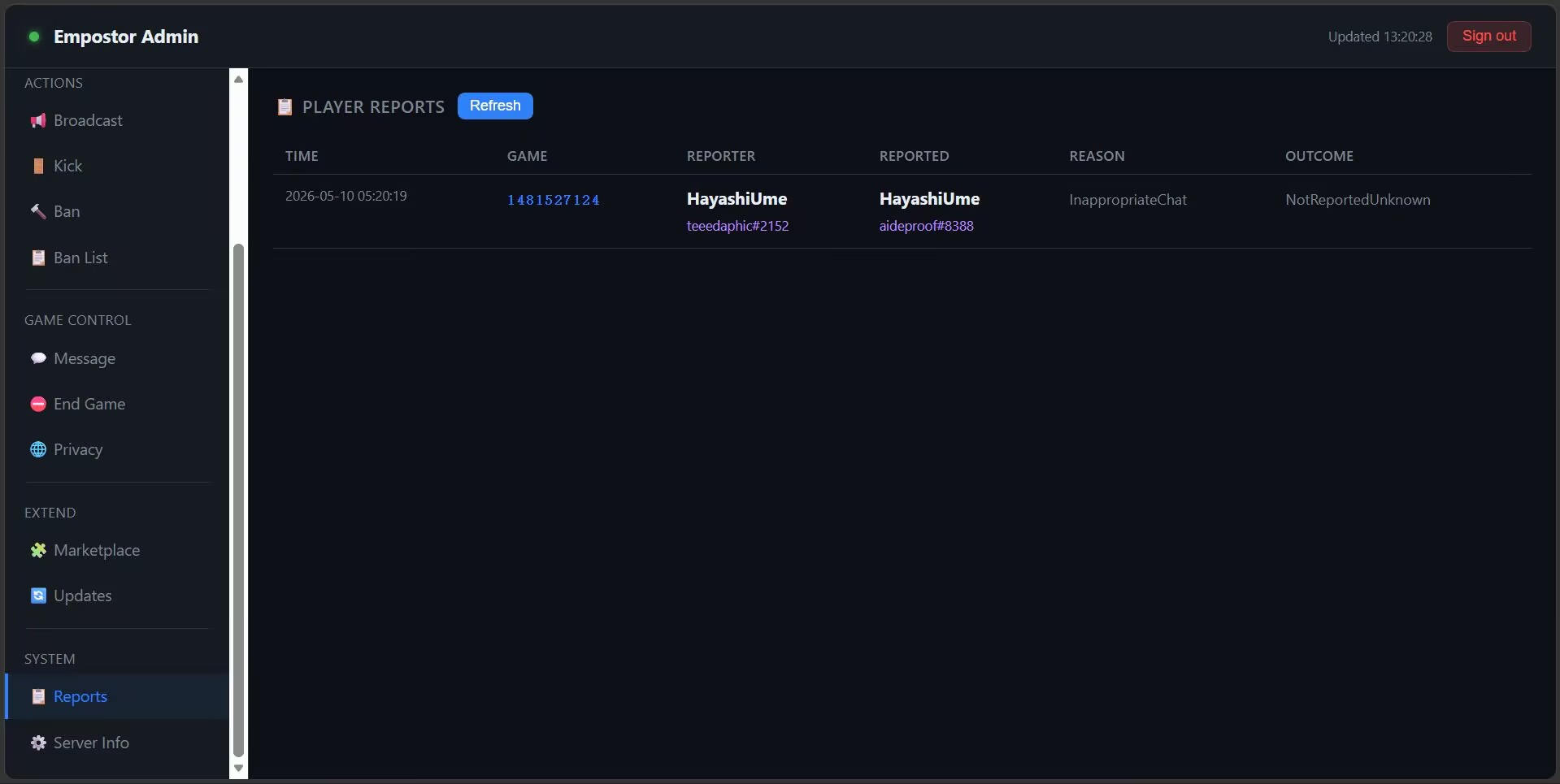
Shows the last 200 player reports submitted in-game (via the Among Us report button):
| Column | Description |
|---|---|
| Time | UTC timestamp of the report |
| Game | Room code |
| Reporter | Name and friend code of the reporting player |
| Reported | Name and friend code of the reported player |
| Reason | InappropriateName, InappropriateChat, Cheating_Hacking, Harassment_Misconduct |
| Outcome | NotReportedUnknown, NotReportedNoAccount, Reported, etc. |
Reports are held in memory and cleared on server restart. Plugins can listen to IPlayerReportEvent to persist reports or trigger further actions.
Server Info
Displays runtime details:
- Server start time and uptime
- Process ID
- .NET runtime version and OS
- Current ban and auth session counts