Admin Panel
Empostor includes a built-in web-based admin panel available at http://your-server:22023/admin.
Authentication
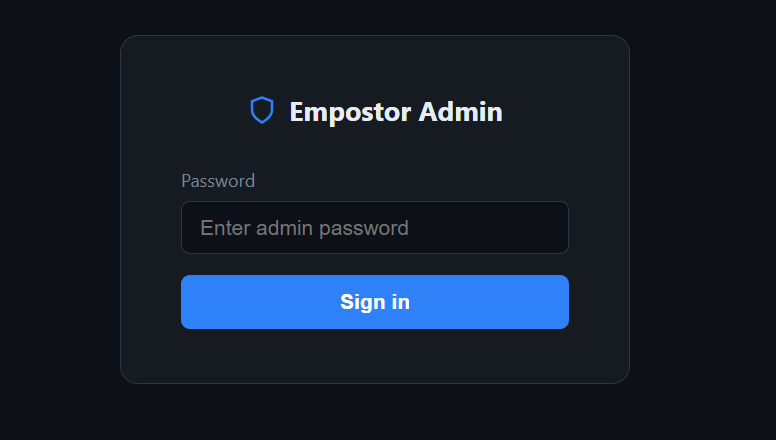
The panel is protected by a password set in config.json:
"Admin": {
  "Password": "your-strong-password-here",
  "MarketplaceUrl": "https://raw.githubusercontent.com/your-org/your-repo/main/marketplace/plugins.json"
}
The password is hashed (SHA256) in memory and in cookies — the plaintext is never stored in the browser or compared directly. On first visit the login page is shown. After a successful login a session cookie (HttpOnly, Secure, SameSite=Strict) valid for 8 hours is set. Clicking Sign out clears it immediately.
After 5 failed login attempts from the same IP, that IP is locked out for 15 minutes.
All API endpoints under /api/admin/ return 401 Unauthorized if the cookie is absent or incorrect.
Overview
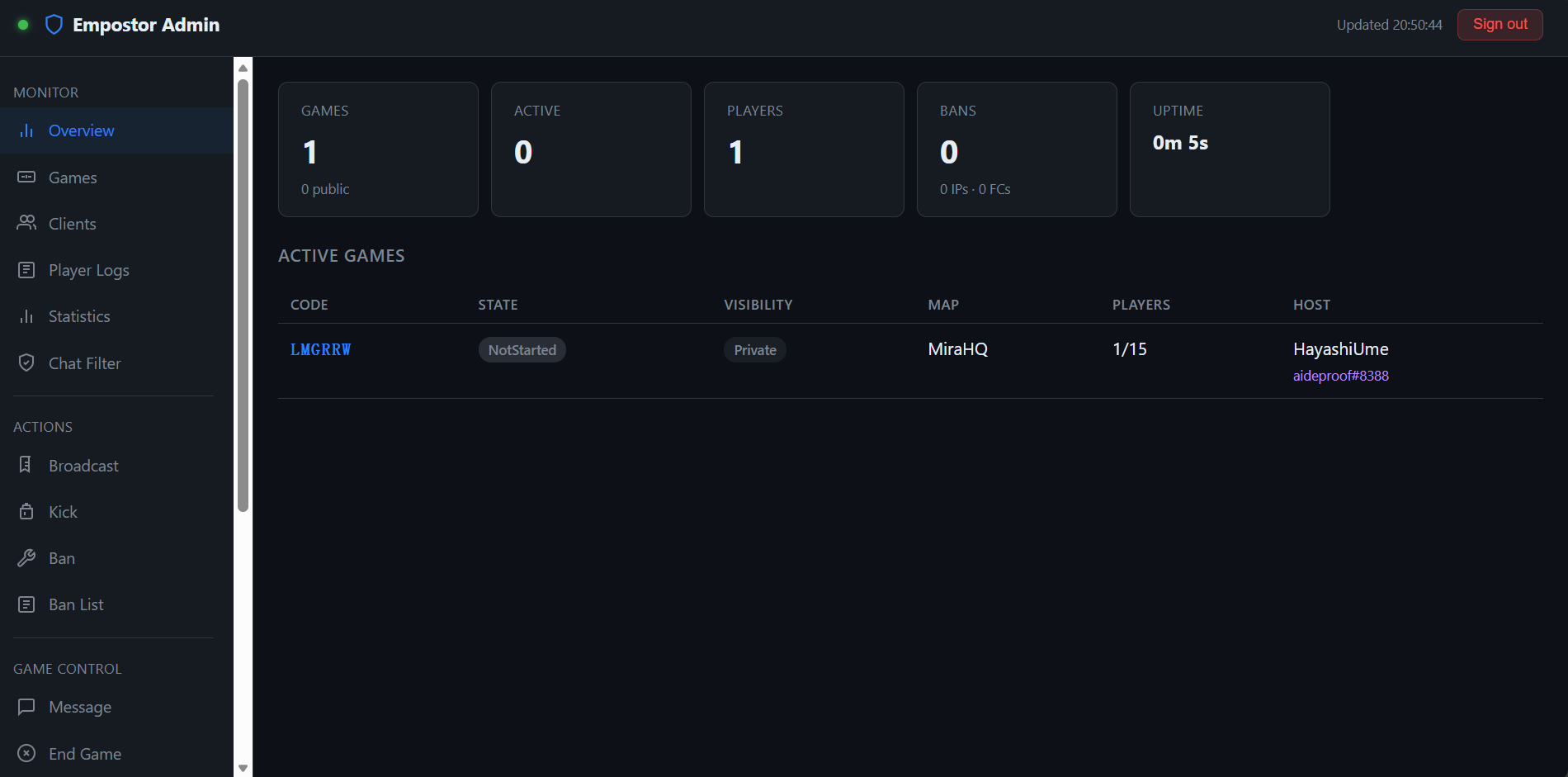
The main dashboard shows at a glance:
- Total and public game count
- Active games (in progress)
- Connected player count
- Total ban count (IP + friend code)
- Server uptime
A live game list is displayed below the stat cards, refreshing every 3 seconds.
Games
Lists all active rooms with:
- Room code
- State (NotStarted / Starting / Started / Ended)
- Visibility (Public / Private)
- Map name
- Player count vs. max players
- Host name and friend code
- All players in the room (hover for friend code and IP)
Clients
Lists all connected clients with:
- Client ID
- Name (clickable — opens detail modal)
- Friend code
- IP address (with geolocation in detail view)
- Among Us client version
- Platform + platform name
- Whether they are in a game, and which room code
- Reactor mod count badge (if the client runs Reactor/Reactor)
Clicking a player name opens a modal overlay showing:
- Full player identity (name, friend code, client ID)
- IP address with geolocation (country region city)
- Game version
- Platform (enum + platform name)
- Language (with numeric code)
- Player level (if available)
- Current game code
- Reactor protocol version and full mod list (mod ID, version, required flag)
Statistics
Player statistics tracking is configured in config.json and surfaced in the admin panel. See Statistics for the full configuration reference, tracked metrics, and endpoints.
Chat Filter
Chat moderation is provided by the Chat Filter plugin. See Chat Filter for blocked-word and spam-protection configuration.
Broadcast
Sends a chat message to every active game on behalf of the host of that game. The message is prefixed with [Server].
Kick
Removes a player from the server without banning. The player can reconnect immediately.
Players can be kicked by entering a Client ID, or by using the Quick Kick table which lists all connected clients with a one-click button.
Ban
Ban by IP
Bans an IP address and immediately disconnects all clients connected from that address. The reason is saved to bans.json and persists across server restarts.
Ban by Friend Code
Bans a specific friend code and immediately disconnects any client currently connected with it.
Both ban types can be removed from the Ban List tab at any time.
Ban List
Shows all active IP bans and friend code bans with:
- Banned value (IP or friend code)
- Reason
- Timestamp
Each entry has an Unban button that takes effect immediately.
Message
Sends a targeted chat message to a specific game room by code. Useful for communicating with a single room without broadcasting server-wide.
End Game
Force-terminates a game by kicking all players in it. The room is destroyed immediately. A confirmation dialog is shown before the action is executed.
The tab also lists all active games with a one-click End button per row.
Privacy
Toggles a game between Public and Private. This affects whether the room appears in the public lobby list.
Marketplace
The marketplace has two categories, switched with the Plugins / Themes buttons at the top of the page:
- Plugins — install community plugins. The
.dlllands inplugins/and needs a server restart. - Themes — browse and apply admin panel themes. Themes that are already available (built-in, supplied by a plugin, or dropped into
Pages/themes/) show Apply; catalogue entries that are not installed yet show Install, which writestheme.jsonintoPages/themes/{Id}/and is switchable without a restart.
See Plugin Marketplace for the catalogue formats and versioning rules.
Updates
The Updates page checks the server version against GitHub and can pull the matching package for this machine. Empostor never replaces a running installation by itself.
Release channels
Pick the channel at the top of the page:
| Channel | Source | Version taken from |
|---|---|---|
| Stable release | GitHub Release latest (tagged releases) | The release tag without its leading v, e.g. 2.0.0 |
| Nightly build | The prerelease tagged nightly, republished by CI on every push to main | The value inside the release title, e.g. Nightly build (2.0.0-ci.599) → 2.0.0-ci.599 |
| Specific version | A dropdown listing recent releases | Same as stable: the tag without v |
Switching the channel re-queries immediately; Check for Updates refreshes on demand. The result lists the running version, the latest version, the tag, the publish date, and the package that release offers for the current platform. When the latest version matches the running one it is reported as Up to date.
Downloading a package
Download package fetches the archive for the selected version and stores it on the server. Nothing is unpacked or swapped automatically.
Trigger — manual only. It runs when an administrator clicks Download package on the Updates page; the server never downloads in the background.
Platform — the server matches its own runtime (
win-x64,linux-x64,linux-arm,linux-arm64,osx-x64) against the release assets. Windows ships as.zip, every other platform only as.tar.gz. When a release has no asset for this platform the button is hidden.Version — taken from the table above: the release tag for stable, the parenthesised value in the title for nightly.
File name — the original GitHub release asset name is kept, e.g.
Empostor-Server_2.0.0_win-x64.zipfor a tagged release orEmpostor-Server-latest-win-x64.zipfor nightly.Path —
Update/{Version}/xxx.zip, relative to the server process working directory:Update— fixed top-level directory{Version}— the version above, with any character other than letters, digits,.,-,_and+replaced by_xxx.zip— the untouched asset name
A Windows nightly download therefore lands in
Update/2.0.0-ci.599/Empostor-Server-latest-win-x64.zip.A file that already exists with the same size is not downloaded again; the panel reports Already downloaded.
Shut down, unpack, replace, restart — upgrading is still a manual step.
The GitHub repository checked is Empostor/Empostor by default. If you maintain a fork, this is hardcoded in UpdateController.cs.
GitHub API limits
Release metadata comes from the GitHub API. Anonymous requests are capped at 60 per hour per IP, which servers behind a shared egress IP hit easily — the API answers 403 (rate limit exceeded). In that case the panel shows the reason and the reset time in amber instead of a raw HTTP exception.
Repeating the same query within 60 seconds returns a cached result and never reaches GitHub, so hammering Check for Updates costs no extra quota.
To remove the limit, give the server a token in config.json (read-only release metadata on a public repo needs no scopes at all):
"Admin": {
  "Password": "...",
  "GitHubToken": "ghp_xxxxxxxxxxxxxxxx"
}
A token raises the allowance to 5000 requests per hour. Restart the server after changing it.
Reports
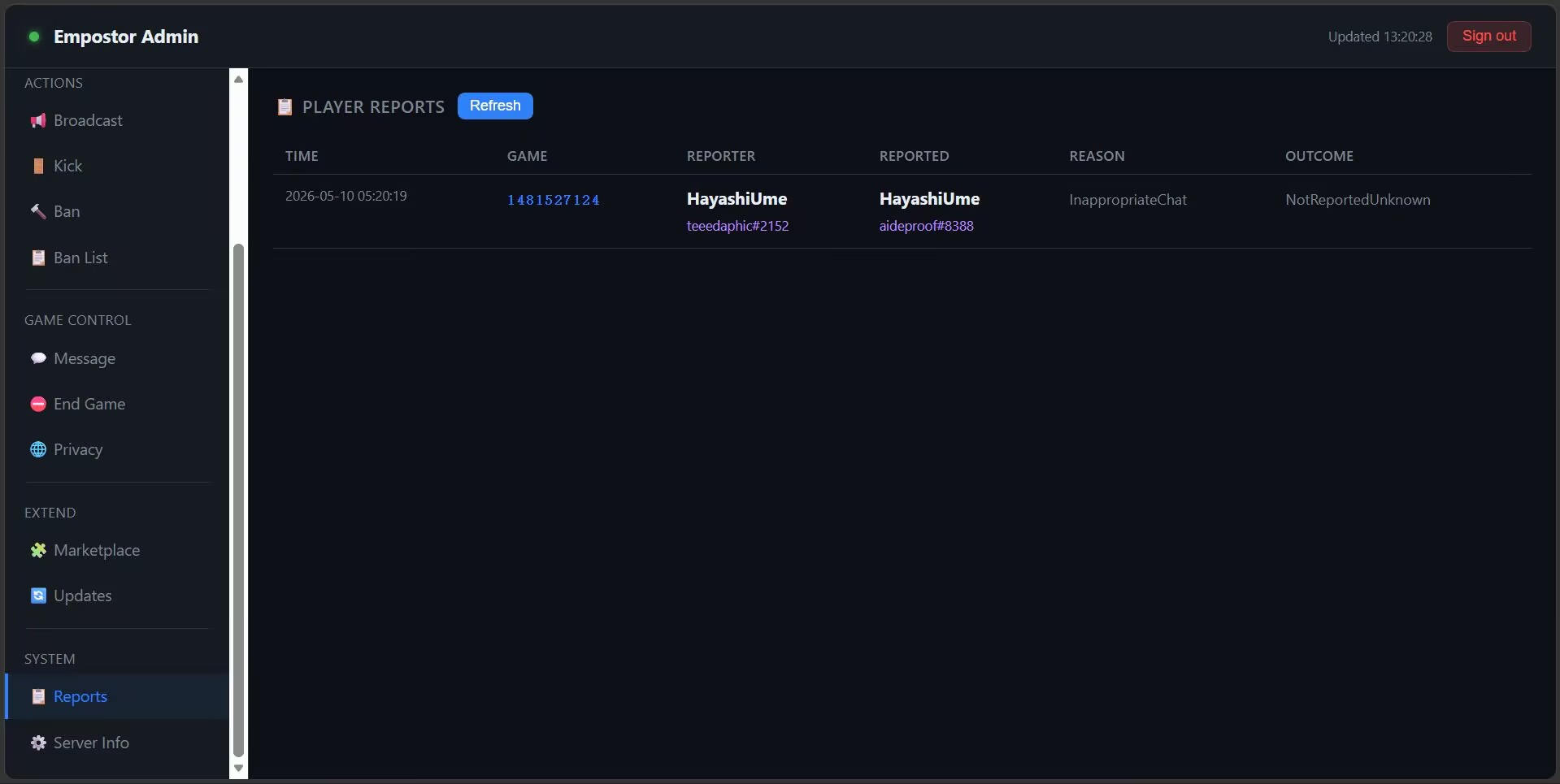
Shows the last 200 player reports submitted in-game (via the Among Us report button):
| Column | Description |
|---|---|
| Time | UTC timestamp of the report |
| Game | Room code |
| Reporter | Name and friend code of the reporting player |
| Reported | Name and friend code of the reported player |
| Reason | InappropriateName, InappropriateChat, Cheating_Hacking, Harassment_Misconduct |
| Outcome | NotReportedUnknown, NotReportedNoAccount, Reported, etc. |
Reports are held in memory and cleared on server restart. Plugins can listen to IPlayerReportEvent to persist reports or trigger further actions.
Server Info
Displays runtime details:
- Server start time and uptime
- Process ID
- .NET runtime version and OS
- Current ban and auth session counts